
Big open models like Llama 3.1 70B or Falcon 180B are far too large to run on a normal home computer — a single machine would need tens of gigabytes of GPU memory. Petals gets around that with a beautifully simple idea borrowed from BitTorrent: instead of one computer running the whole model, many computers each run a slice of it and pass the computation between them. You load a few layers, team up with people serving the rest, and together you run a model none of you could run alone — for free. This guide shows you how it actually works, how to run your first inference correctly, and the one big trade-off nobody warns you about.
Difficulty: Intermediate · Required tools: a computer with Python 3.9+, a terminal, and pip (a GPU helps but isn't required just to use the swarm as a client) · Updated: July 2026
Overview
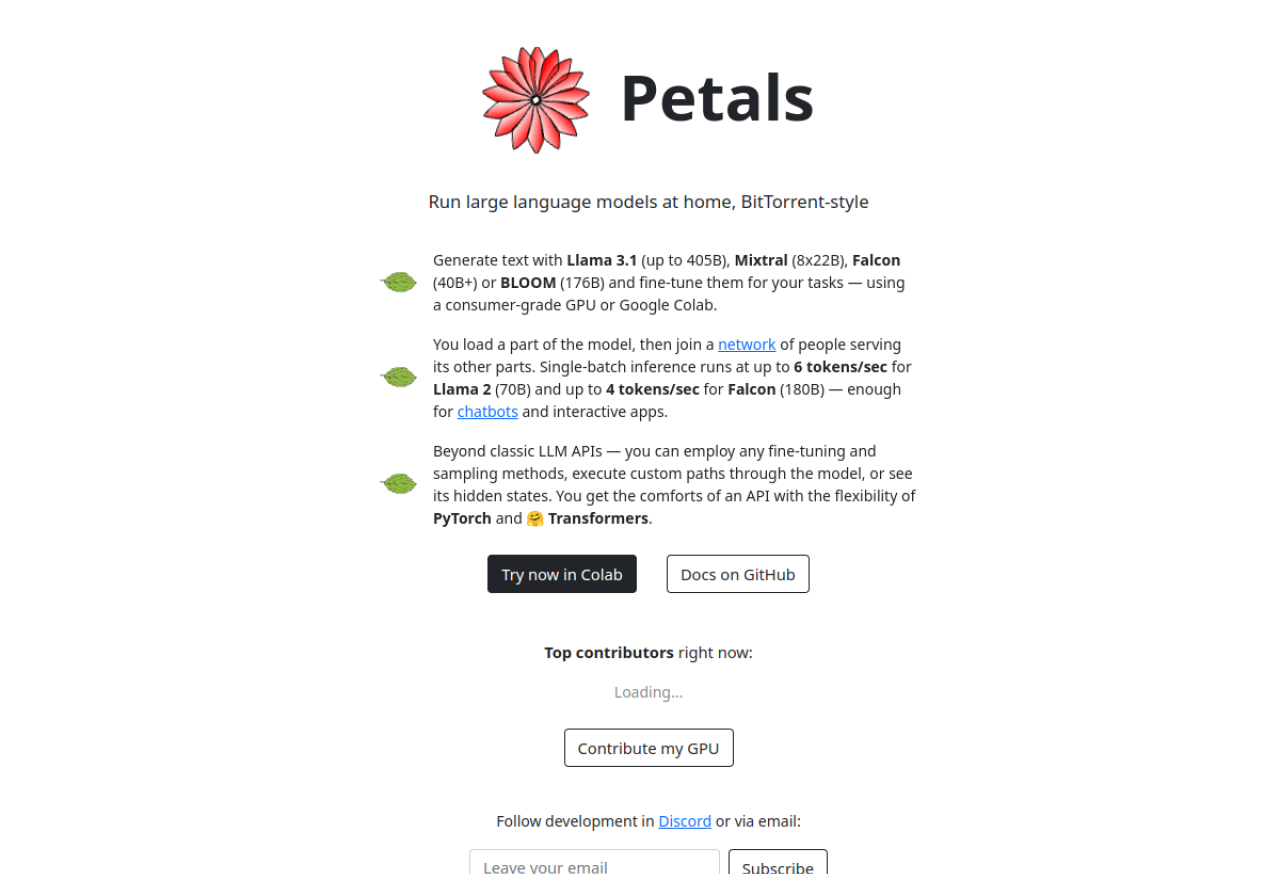
Petals is an open-source project from the BigScience community — the tagline says it best: "Run LLMs at home, BitTorrent-style." The mechanics are exactly that analogy. A large language model is a stack of transformer layers; Petals splits that stack across a swarm of volunteer computers. Your machine holds only a small part (or none at all if you're just a client), and when you run a prompt, the hidden state hops from peer to peer — through the machines serving layers 1–10, then 11–20, and so on — until an answer comes back. It has fault-tolerant routing so the run survives peers dropping offline, and load balancing so work goes to capable machines.
Why this is genuinely useful: it makes models you otherwise couldn't touch runnable on ordinary hardware, for free. Inference on the public swarm runs at up to about six tokens per second for a 70B model (single-batch) — roughly 10× faster than trying to "offload" a huge model to disk on one machine, and quick enough for a chatbot or interactive experiments. You can run and even fine-tune models like Llama 3.1, Mixtral, Falcon, and BLOOM without renting a single cloud GPU.
Now the honest trade-off, because most write-ups skip it and it changes when you should use this: your data passes through strangers' computers. The peers serving the middle layers see the intermediate activations for your prompt, which can in principle leak your input. So the public swarm is fine for open, non-sensitive work — experimenting, learning, drafting public content — and wrong for anything confidential. (For private use, you run your own small swarm — Step 6.) Speed and availability also depend on who's online: which models are fully served fluctuates, so you check before you commit.
The honest goal: by the end you'll understand how Petals distributes a model, run your first inference with the current API (the old copy-paste snippets floating around are outdated), know the privacy trade-off cold, and know exactly when Petals is the right tool versus running a small model locally or just calling an API.
Who This Is Useful For
What You Will Learn
What You Need
transformers.The 7 Steps
Step 1: Understand how Petals works — and its one big caveat

Before any code, hold the model in your head. A big LLM is a tall stack of layers; Petals serves different ranges of those layers on different computers. As a client, you send your tokenized prompt in, and the computation relays across peers holding each layer-range until it returns logits and, finally, generated text. That's the whole trick — and it's why you can run a 70B model without 70B-worth of memory. The caveat that decides everything: the peers in the middle see your prompt's hidden states. On the open swarm, treat every prompt as public.
Pro tip: Decide before you start whether your use is public-safe. If the answer is "this contains anything I wouldn't post publicly," either run a private swarm (Step 6) or use a fully local tool instead — don't send it to the public swarm and hope.
Step 2: Install Petals
Installation is a one-liner in your terminal. It pulls in Petals and its dependencies (including transformers and torch):
pip install git+https://github.com/bigscience-workshop/petals
Use a fresh virtual environment to avoid dependency clashes, and if you hit a permissions error, add --user. That's the entire setup on the client side — no model download, no GPU driver wrangling just to try it.
Pro tip: Install from the GitHub repo (as above) rather than an old PyPI pin — Petals moves faster than its released versions, and the current model support (Llama 3.1, Mixtral) lives on main.
Step 3: Pick a model the swarm is actually serving
You can only run a model if peers are currently serving all of its layers. Before loading anything, open the swarm's health dashboard at health.petals.dev and see which models are fully available (every layer-range green). Pick one of those. Gated models like Llama need a Hugging Face access token; open models like Falcon or BLOOM don't.
Pro tip: If your target model is only partially served (some layer-ranges missing), you can't run it as a pure client — but you can run a server for the missing blocks (Step 5) and complete the swarm yourself. Checking health first saves you a confusing "no peers" error later.
Step 4: Load the model and run your first inference
Here's the current, correct pattern — a tokenizer plus Petals' AutoDistributedModelForCausalLM. Only a small piece downloads locally; the heavy layers run on peers.
python
from transformers import AutoTokenizer
from petals import AutoDistributedModelForCausalLMmodel_name = "meta-llama/Meta-Llama-3.1-8B-Instruct" # a model shown healthy at health.petals.dev
tokenizer = AutoTokenizer.from_pretrained(model_name)
model = AutoDistributedModelForCausalLM.from_pretrained(model_name)
inputs = tokenizer("The three laws of robotics are", return_tensors="pt")["input_ids"]
outputs = model.generate(inputs, max_new_tokens=60)
print(tokenizer.decode(outputs[0]))
Note what's not here: no BLOOM-specific class, and you don't pass a raw string to generate — you tokenize first and pass input_ids. Expect the first token to take a moment as the route through the swarm is established, then a few tokens per second.
Pro tip: Keep a single model object alive and reuse it across prompts in one session. Re-loading re-establishes the peer route each time; holding the connection open makes an interactive back-and-forth feel far snappier.
Step 5: (Optional) Contribute by serving layers

You can give back — and keep the models you use alive — by serving a range of layers to the swarm. One command from your terminal turns your machine into a server:
python -m petals.cli.run_server meta-llama/Meta-Llama-3.1-8B-Instruct
It automatically picks which layers to host based on your hardware and joins the public swarm. Be honest about the payoff, though: there is no formal "credits" or guaranteed-priority system — you're contributing to a commons. What you actually get is a healthier swarm and continued availability of the model you want to use, which is a real reason to run a server overnight if a model you rely on is under-served.
Pro tip: Serving needs a GPU to be genuinely useful and it uses real bandwidth and power — so only run a server when your machine is idle and plugged in, and point it at a model you personally care about keeping alive.
Step 6: Run a private swarm for privacy and reliability
The fix for both the privacy trade-off and flaky public availability is to run your own swarm across machines you control — a few home PCs, some cloud boxes, or a lab's computers. You start a bootstrap peer, then launch each server with --initial_peers pointing at it and connect your client the same way. Now no stranger sees your data, and the model is always fully served because you serve it. This is how you'd use Petals for anything sensitive, or in a small team.
Pro tip: A private swarm is also the honest answer to "can I use this for client work?" Yes — on a private swarm of machines you trust. On the public swarm, keep it to non-confidential experiments.
Step 7: Know when Petals is the right tool
Petals shines in exactly one spot: running (or fine-tuning) a big open model you couldn't otherwise run, for free, on non-sensitive tasks. Outside that, reach for the right alternative. For anything private or where you want reliability, a small local model via Ollama or llama.cpp runs entirely on your machine. For fast, dependable production use, a hosted API is simpler and quicker. Choosing well means being clear about what you're optimizing for — access to a huge model, privacy, or speed — because no single tool wins all three.
Pro tip: Match the tool to the constraint: "I need a 70B model and I'm broke" → Petals. "This is confidential" → a local model (or a private swarm). "This has to be fast and always up" → an API. Naming the constraint first makes the choice obvious.
3 Common Mistakes to Avoid

DistributedBloomForCausalLM snippets and bloom-petals model names are legacy. Use AutoDistributedModelForCausalLM, tokenize your input, and pick a model that's actually healthy on the swarm today.Going Further
Key Takeaways
AutoDistributedModelForCausalLM + a tokenizer, pass input_ids (not a raw string). The old BLOOM-only snippets are outdated.Sources: Petals — Run LLMs at home, BitTorrent-style (petals.dev) · bigscience-workshop/petals — GitHub · Petals swarm health