Overview
Good sales outreach is personal — and personal takes time. Researching each prospect, understanding their company, and writing a message that doesn't sound like a template can eat an afternoon before you've contacted anyone. This is where Grok Bot, xAI's AI-agent platform, genuinely helps: an agent can research a prospect and draft a personalized first message in minutes, so you spend your time on conversations, not homework. This guide shows the practical, safe way to do it — where the agent does the legwork and you stay in control of what actually gets sent.

Difficulty: Medium — no code, but you'll connect tools · You'll need: an X / SpaceXAI account with Grok Bot access (and optionally a CRM) · Cost: free tier plus paid plans · Updated: September 2026
What Grok Bot Brings to Sales
Grok Bot lets you create an agent, brief it, and set it loose across your apps — and for sales it can pull context from a connected CRM like Salesforce or HubSpot. That means an agent can combine public research (the prospect's company, role, recent news) with what you already know about the account, and produce a draft that sounds like you did the homework.
The value isn't "AI does sales for you." It's "AI removes the 20 minutes of research and blank-page drafting before every good outreach."
Who This Is For
The Workflow
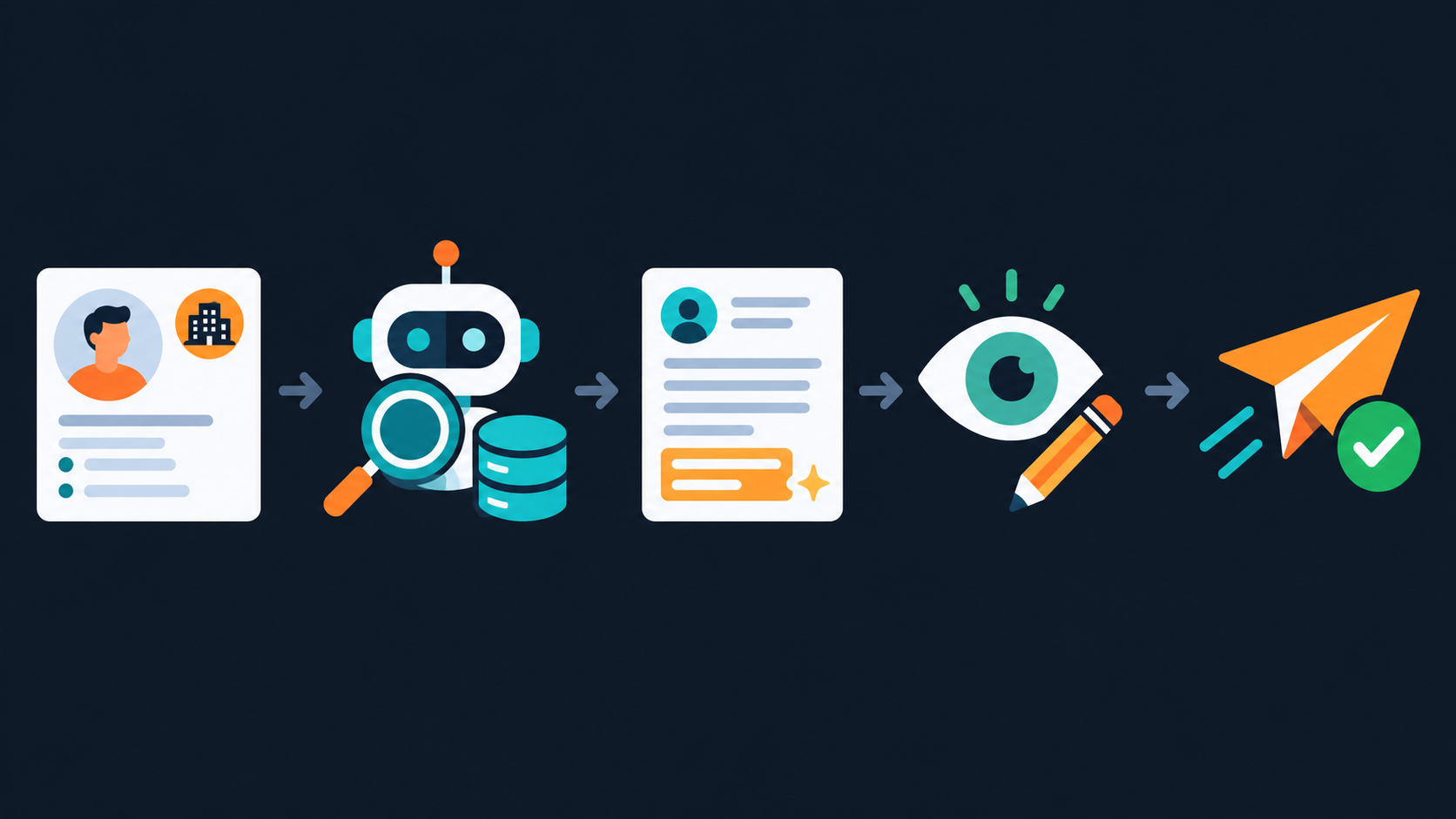
Pick a prospect → the agent researches → it drafts → you review and edit → you send. The agent never contacts anyone directly; it hands you a ready draft.
Build It, Step by Step
Step 1: Create a sales-research bot
In Grok Bot (x.ai / grok.com), create a bot — e.g. "Outreach Prep" — and brief it with your context and rules:
You help me prepare personalized sales outreach for [your product],
which helps [audience] achieve [outcome]. Be specific and human, never
generic or hypey. When you state a fact about a prospect or company,
cite the source. If you can't verify something, leave a [CHECK] rather
than guessing. Never contact anyone — you only prepare drafts for me.
Step 2: (Optional) Connect your CRM
If you use Salesforce or HubSpot, connect it so the agent can use existing account notes and history. Grant the minimum access needed — read-only where possible — and never more than the task requires.Step 3: Research a prospect
Give it a specific target:
Prospect: [name], [role] at [company]. Research the company (what they
do, size, any recent news) and this person's likely priorities. Give me
a short brief with source links, and flag anything unverified as [CHECK].
Then read the brief and verify the sources — this is where accuracy is won.
Step 4: Draft the outreach
Turn the verified brief into a message:
Using the verified brief, draft a short, personalized first outreach
message (4-6 sentences). Reference one specific, real detail about them,
connect it to [your product's] value, and end with a low-friction ask.
No hype, no fake familiarity.
Step 5: Review, personalize, and send — yourself
Edit for truth and tone, add a genuine personal line, and send it from your own email/CRM. The agent prepped it; you own it.The Guardrails That Keep You Credible (and Compliant)

[CHECK] flags.Common Mistakes to Avoid
Pro Tips
Key Takeaways
[CHECK] flags — a wrong detail destroys credibility.xAI's AI-agent platform with CRM connectors (Salesforce, HubSpot). Create a research-and-draft sales agent; requires an X / SpaceXAI account.
The chatbot powering Grok Bot's agents — useful for refining your outreach voice and research prompts. Verify its outputs before you rely on them.
Sources: Grok Bot (x.ai) · Grok
Grok Bot's connectors and features change; verify on xAI's official pages. Always verify prospect facts, follow privacy and anti-spam laws, and keep a human in control of anything that sends.