AI 101: Using Perplexity to conduct deep market research with cited sources
Stop drowning in SEO-spam and irrelevant search results. Learn how to use Perplexity's "Deep Research" engine to synthesize the entire web into a professional market report—complete with verifiable citations.
Introduction
For entrepreneurs and non-techies, "researching" often means spending three hours opening dozens of tabs, dodging ads, and trying to figure out which blog post is actually telling the truth. In 2026, we have moved past the "Search Engine" era into the "Answer Engine" era.
Perplexity doesn''t just give you a list of links; it acts as a digital research librarian. It reads the pages for you, understands the nuances of your industry, and writes a cohesive report. Most importantly, it solves the "AI Hallucination" problem by providing a clickable footnote for every single claim it makes. If you need to understand a new market, analyze a competitor, or track a trend, this tool will save you 80% of your manual work.
What You''ll Learn
How to trigger the Deep Research mode for multi-step investigations
The art of "Interactive Verification": How to trace every AI claim back to its original source
Using Collections to organize your research into a private knowledge base for your startup
Section 1: Activating Deep Research Mode
Unlike a standard chat, Deep Research is an agentic process. This means the AI doesn''t just "guess" an answer; it creates a plan, searches the web, reads 20+ sources, and then refines its answer based on what it found.
Step-by-Step Process
Step 1: Activate the Toggle
In the Perplexity search bar, ensure the "Deep Research" toggle is turned ON
You''ll notice it switches from "Search" to "Deep Research" mode
Step 2: Enter Your Complex Query
Type in your research question
Example: "Analyze the current state of the AI Automation Agency (AAA) market in Hong Kong for 2026. Who are the top players and what are their service offerings?"
The more specific your question, the better the research
Step 3: Answer Clarification Questions
Perplexity will likely ask you follow-up questions (e.g., "Are you interested in B2B or B2C services?")
This is a critical step—answering these allows the AI to narrow its "browsing" to exactly what you need
These clarifications ensure the research is tailored to your exact needs
Step 4: Watch the Live Research Log
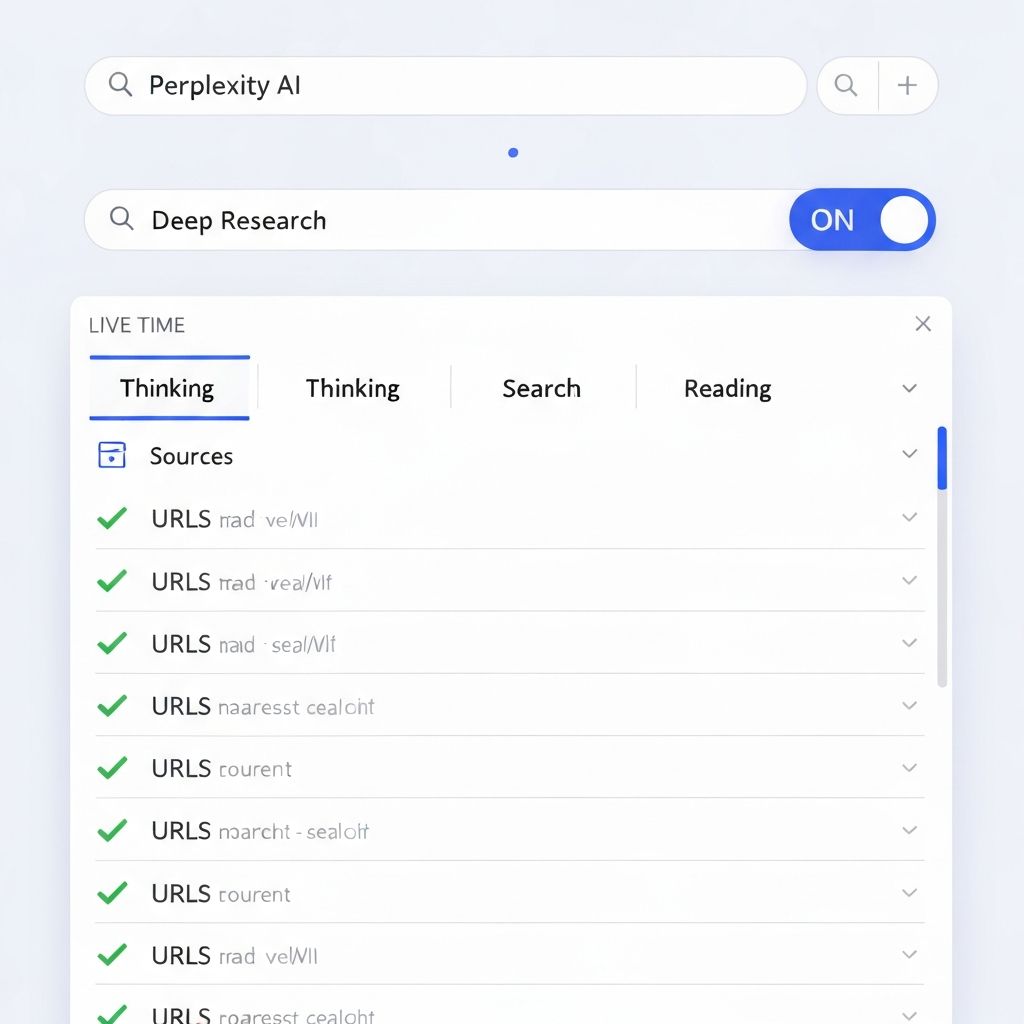
You will see a live feed of the AI "Thinking," "Searching," and "Reading"
It will list the specific URLs it is visiting in real-time
This transparency shows exactly where the AI is getting its information from
The Magic: Agentic Research vs. Guessing
Unlike ChatGPT that might hallucinate statistics, Perplexity actually visits websites and reads them. The Deep Research agent:
Formulates a research strategy based on your query
Searches multiple times with different keywords
Reads full articles and papers
Synthesizes findings into a coherent narrative
Cites every single claim it makes
A Perplexity AI interface showing Deep Research mode with the toggle activated. A live research feed displays the AI "Thinking," "Searching," and "Reading" through multiple URLs in real-time with checkmarks
Section 2: Navigating the Cited Report
Once the report is generated, you aren''t just looking at text; you''re looking at a fact-mapped document where every claim is traceable.
The Footnote System
Understanding Citations
Notice the small numbers (e.g., [1], [2]) at the end of every sentence
Hovering over these shows you the source title
Clicking them takes you directly to the website where that specific fact originated
Verifying Statistics
If the AI says, "The market is projected to grow by 40%," you can immediately click the citation to see the original whitepaper or news article
This builds the "trust" that is essential for business reporting
You can screenshot or copy the entire report knowing every data point is verifiable
The Source Sidebar
On the right-hand side, Perplexity provides a gallery of all the images, charts, and top sources it found during the search
This allows you to quickly scan for visual data
You can download images directly from the report to use in presentations
Why This Matters
This workflow transforms "I read somewhere that..." into "According to [Company X] official whitepaper in 2026...". Your research is now credible, quotable, and defensible.
![A Perplexity AI research report showing cited text with superscript numbers [1], [2], [3] throughout. A sidebar shows "Top Sources" with website thumbnails and documents. A collapsible citation section lists all sources](/images/tutorials/perplexity-101-market-research/cited-report.jpg)
Section 3: Leveraging "Collections" for Team Knowledge
Market research shouldn''t be a one-time event. You can turn your research into a living library that grows over time.
Building Your Knowledge Base
Step 1: Create a Collection
Click "Library" and then "New Collection"
Title it based on your research focus (e.g., "AfterWork Startup - Competitor Research")
Add a description so team members understand what it''s for
Step 2: Set a Shared Context
You can set a "System Prompt" for the collection
Example: "Always analyze these search results through the lens of a startup founder based in Hong Kong"
This ensures every search within the collection maintains the same perspective and focus
Step 3: Build the Knowledge Loop
Every search you perform inside this collection will "remember" the previous context
Over weeks or months, you build a massive, structured database of information
You can reference previous research without repeating yourself: "Based on our earlier research about [Topic], what''s new in this space?"
Why This Matters
Instead of scattered searches across your browser history, you now have a private, organized, searchable library that compounds in value over time. New team members can onboard by reading the collection; investors can see the depth of research behind your business decisions.
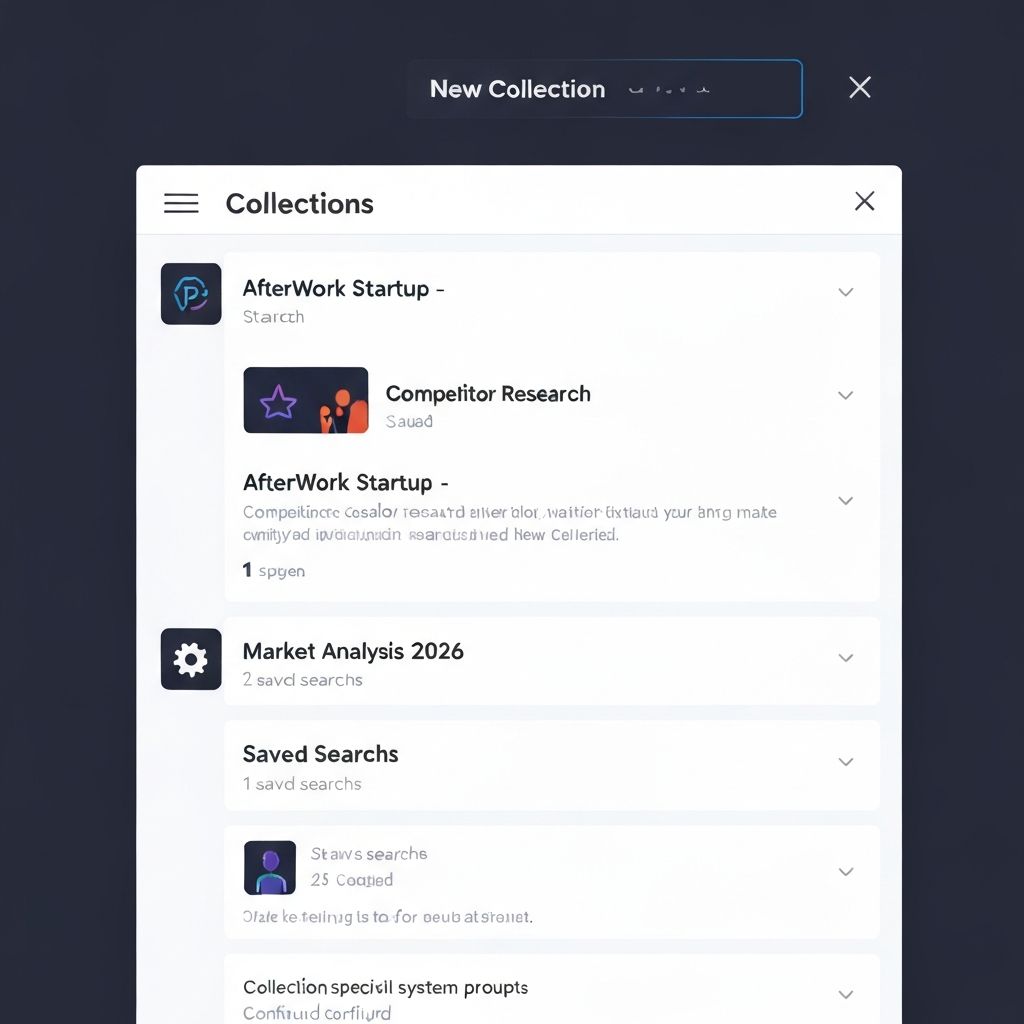
A Perplexity AI Library panel showing Collections cards like "AfterWork Startup - Competitor Research" and "Market Analysis 2026". A "New Collection" button is visible at the top. Each collection shows saved searches count
Pro Tips for Power Users
Tip 1: The "Pro Search" Budget
Deep Research uses significant computing power
If you''re on a free plan, save your Pro Search uses for complex tasks like "Market Analysis"
Use "Basic" search for simple questions like "What time is the event?"
This maximizes your research bandwidth
Tip 2: Upload Your Competitor''s Materials
You can upload a competitor''s PDF brochure or a 50-page industry report
Ask Perplexity: "Compare the market findings you found online with the specific data in this uploaded PDF"
This creates a hybrid research combining public internet data with private materials
Tip 3: Model Switching for Different Purposes
In your settings, you can choose which AI "brain" processes the research
Switch to Claude 3.5 Sonnet for more creative writing or strategic narrative
Switch to GPT-4o/5 for strict data-driven logic and statistical accuracy
Different models shine in different contexts
Sample Prompts to Copy/Paste
The Competitive Analysis
\\\ "Conduct a deep research report on [Competitor Name]. Identify their pricing tiers, their most praised features in user reviews, and any recent news about their funding or leadership changes in 2026." \\\
The Trend Watch
\\\ "Investigate the ''Vibe Coding'' trend. How are non-technical founders using tools like Cursor and v0 to build startups? Provide 5 real-world case studies with links to their websites." \\\
The SEO Strategist
\\\ "Find the top 10 most-asked questions on Reddit and Quora regarding ''AI for beginners.'' Use these to suggest a content strategy for a new AI learning hub." \\\
The Market Sizing
\\\ "What is the current TAM (Total Addressable Market) for AI Automation Agencies in Asia-Pacific? Break it down by country and service type, with sourced estimates." \\\
Expected Outcomes
By the end of this tutorial, you will have moved from "searching" to "knowing." You will have:
✅ Professional-grade reports that can be copied directly into a pitch deck or business plan ✅ The peace of mind that every data point is backed by a verifiable source ✅ A growing library of research that compounds in value over time ✅ The ability to make data-driven business decisions instead of guessing ✅ Reports that impress investors because they''re thoroughly sourced and credible
Time Saved: 8-10 hours per comprehensive market research project (compared to manual research and verification)
Closing Thought
In the age of information overload, the person who can synthesize the truth fastest wins. Perplexity gives you the power of a full research team at the speed of a single click. Your competitive advantage is no longer about working harder—it''s about knowing faster.
Learn AI, after work
Track your progress, earn XP, and unlock more free tutorials in the AfterWork Bytes app.