ProductivityIntermediate13 min read

Grok Bot for Customer Support: Triage + Draft Replies

Set up a Grok Bot agent to triage tickets, tag urgency, and draft on-brand replies for human approval — cutting response time without cutting quality. Human approves every send.

Grok Bot for Customer Support: Triage + Draft Replies

Overview

Customer support has a brutal shape: a flood of repetitive questions mixed with a few genuinely tricky ones, all under time pressure. Grok Bot — xAI's AI-agent platform — is well suited to the boring 80%: an agent can triage incoming tickets, tag what's urgent, and draft replies for you to approve, so your team spends its energy on the hard cases and the human touch. This guide shows the safe, practical way to set that up — where the AI prepares and you approve, never the other way around.
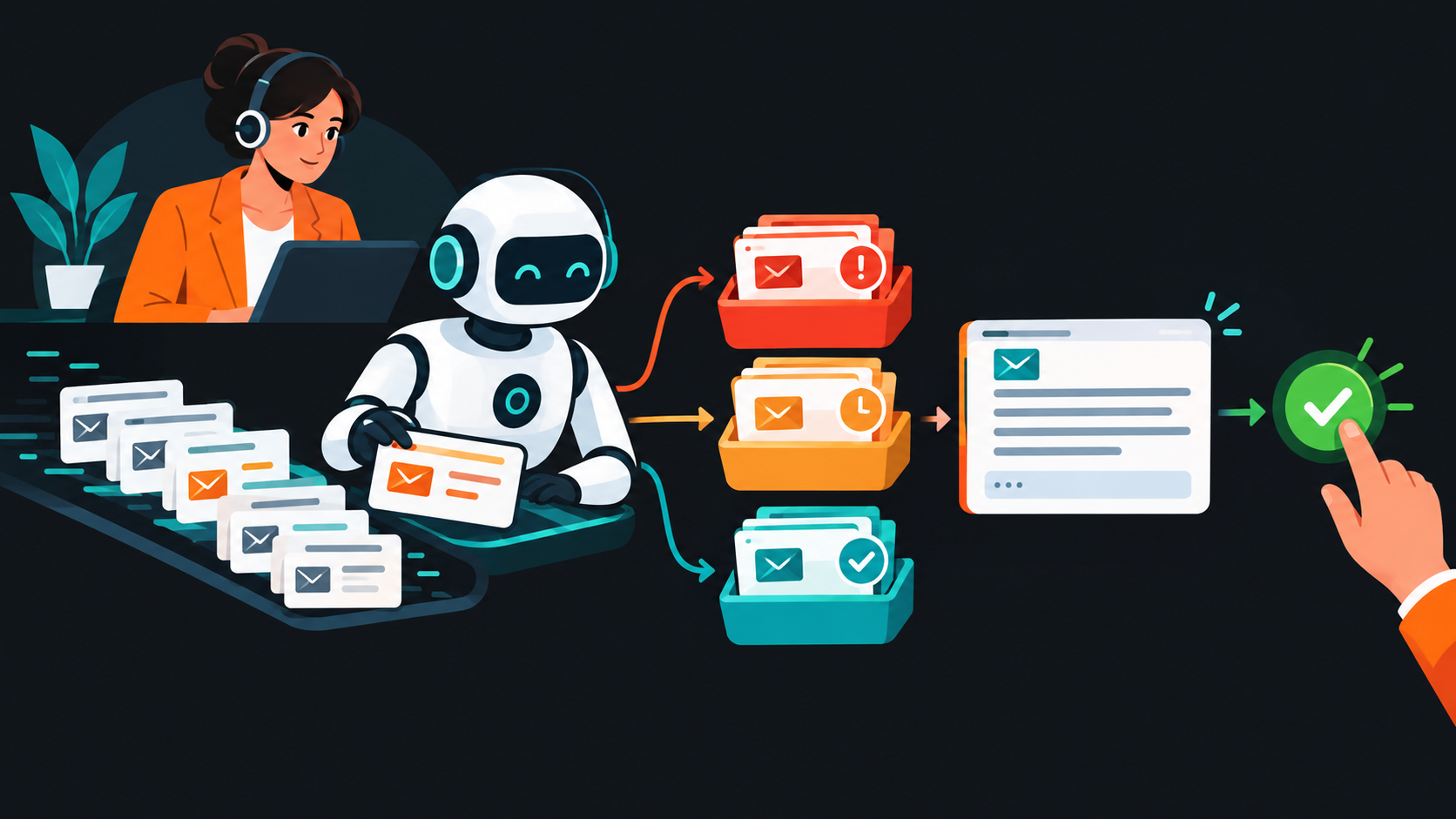

A Grok Bot support agent triages incoming tickets and drafts replies — and a human approves every send.


Difficulty: Medium — no code, but you'll connect your inbox/helpdesk · You'll need: an X / SpaceXAI account with Grok Bot access · Cost: free tier plus paid plans · Updated: September 2026

What Grok Bot Does for Support

Grok Bot lets you create an agent, brief it on your product and tone, and let it work across your tools — including a connected support inbox or helpdesk. For support, that means two high-value jobs: triage (read incoming tickets, tag urgency and topic, surface what needs a human now) and drafting (write an on-brand reply grounded in your help docs, for a human to approve and send).
Grok Bot is xAI's agent platform — an agent can triage a connected support inbox and draft on-brand replies for human approval.

It doesn't replace your support team — it removes the sorting and the blank page, so the team does what humans do best.

Who This Is For

  • Solo founders and small teams handling their own support and drowning in repetitive questions.
  • Support leads who want faster first responses without sacrificing quality.
  • Ops folks standardizing how tickets get triaged and answered.
  • The Workflow

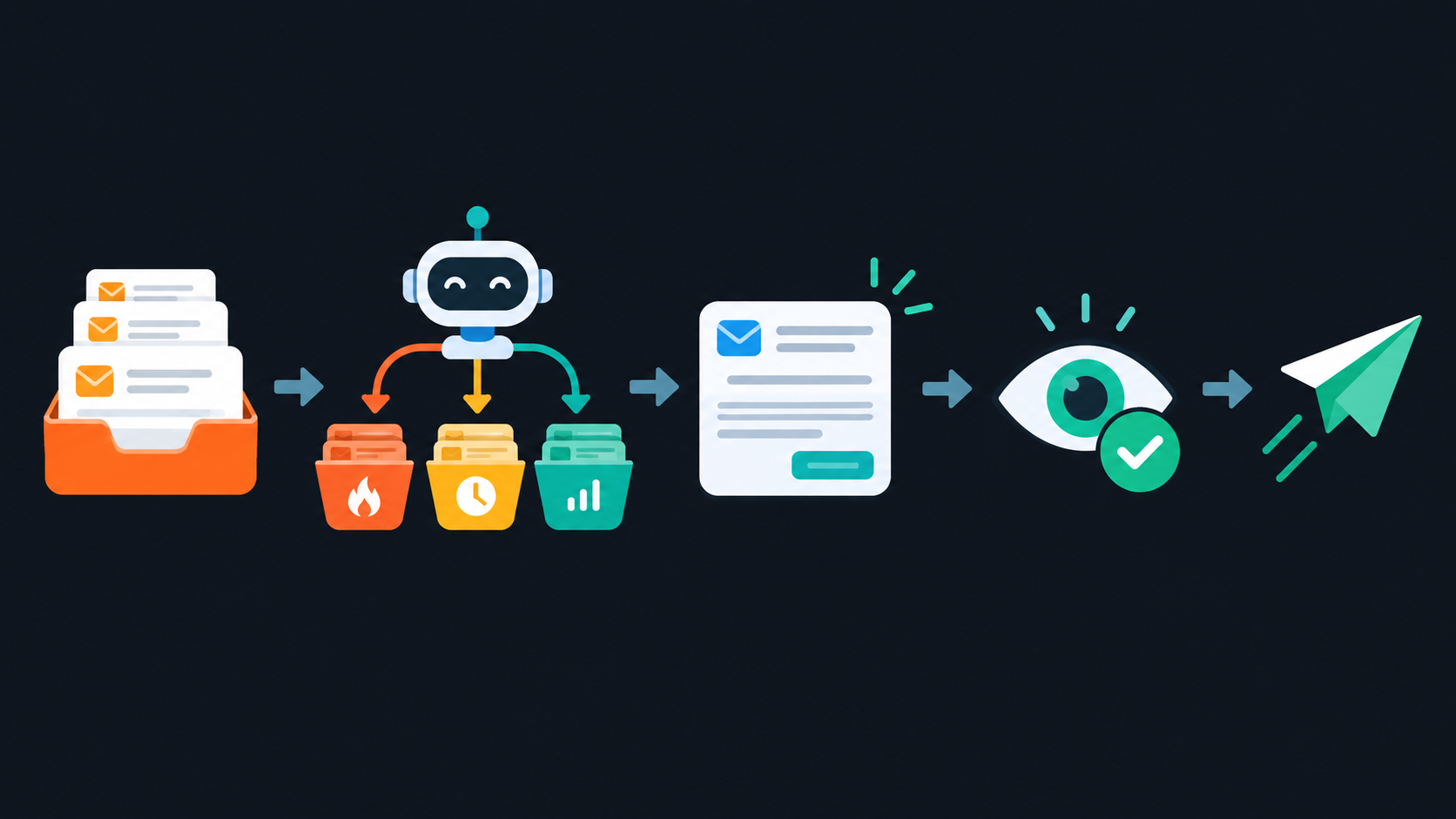
    The flow: tickets in → the agent triages and tags urgency → drafts a reply → a human reviews and approves → send.
    The flow: tickets in → the agent triages and tags urgency → drafts a reply → a human reviews and approves → send.

    Tickets arrive → the agent triages and tags → it drafts a reply → a human reviews and approves → the reply is sent. Every customer-facing message passes a human first.

    Build It, Step by Step

    Step 1: Create a support bot with a knowledge base

    In Grok Bot (x.ai / grok.com), create a bot — e.g. "Support Copilot" — and brief it with your product facts, tone, and a hard rule to stay grounded:
    
    You help triage and draft customer support replies for [product]. Answer
    ONLY from our help docs and known facts — if the answer isn't there, say
    "needs a human" instead of guessing. Tone: warm, clear, no jargon. Never
    promise refunds, discounts, account changes, or anything you're unsure
    about. You prepare drafts; a human approves every reply.
    

    Step 2: Triage the incoming tickets

    Point it at a batch (or a connected inbox) and have it sort, not answer:
    
    For each ticket, give: a one-line summary, a topic tag, an urgency level
    (urgent / normal / low), and whether it's "simple" (safe to draft) or
    "needs a human" (sensitive/complex). Don't write replies yet.
    

    Now your queue is organized: urgent-and-human first, simple drafts to review next.

    Step 3: Draft replies for the simple ones

    For the clearly answerable tickets:
    
    Draft a reply for each "simple" ticket, grounded only in our help docs.
    Keep it short and friendly. If a ticket needs specifics you don't have
    (order numbers, account details), leave a [PLACEHOLDER] for me to fill.
    

    Step 4: Review, edit, and send — every time

    Read each draft: is it accurate, on-brand, and appropriate for this customer's mood? Fix anything, add the personal touch, and you hit send.

    Step 5: Escalate the hard ones to a human

    Anything tagged "needs a human" — complaints, billing disputes, edge cases, upset customers — goes straight to a person. The agent's job there is to route, not to answer.

    The Guardrails (Non-Negotiable in Support)

    Support guardrails: a human approves every reply, don't automate refunds or account changes, verify facts before replying, and escalate hard cases to a person.
    Support guardrails: a human approves every reply, don't automate refunds or account changes, verify facts before replying, and escalate hard cases to a person.
  • A human approves every customer reply. No exceptions while you're building trust in the system. An unreviewed wrong answer to an already-annoyed customer is a real cost.
  • Never automate refunds, account changes, or sensitive actions. These need a human decision — the agent must not have the ability to execute them.
  • Keep it grounded. Force answers from your help docs only; a "needs a human" is far better than a confident hallucination.
  • Escalate emotion and complexity. Upset customers, disputes, and anything ambiguous deserve a person, not a template.
  • Common Mistakes to Avoid


  • Auto-sending AI replies. The single biggest risk. Keep the human approval gate, always.

  • Letting it answer from "general knowledge." Ground it in your docs, or it will confidently invent policy.

  • Giving it power to act. A support agent should draft — never issue refunds or change accounts on its own.

  • Automating the emotional cases. Frustrated customers need a human, fast. Route, don't reply.

  • Skimping on the knowledge base. Garbage in, confident-garbage out. Good docs make good drafts.
  • Pro Tips

  • Invest in your help docs first. The agent is only as accurate as what you ground it in.
  • Use a "needs a human" default. When in doubt, route to a person — cheaper than a wrong answer.
  • Templatize the top 10 questions. Let the agent adapt proven answers instead of freewriting.
  • Track what it gets wrong. Review edits weekly and tighten the brief and docs accordingly.
  • Keep tone human. A quick personal edit on each reply is what separates "helpful" from "obviously a bot."
  • Key Takeaways

  • Grok Bot handles the boring 80% of support — triaging tickets and drafting replies — so humans handle the hard 20%.
  • The rule is: agent triages and drafts; a human approves every reply. No unreviewed auto-responses.
  • Ground it in your help docs and make "needs a human" the safe default over guessing.
  • Never let it execute refunds, account changes, or sensitive actions — those stay human.
  • Escalate emotion and complexity to a person — route, don't reply.
  • Grok Bot (xAI)

    xAI's AI-agent platform — create a support agent that triages tickets and drafts replies for human approval. Requires an X / SpaceXAI account.

    x.ai
    Grok — the AI assistant behind it

    The chatbot powering Grok Bot's agents — handy for drafting and refining support replies. Always review before a reply reaches a customer.

    grok.com

    Sources: Grok Bot (x.ai) · Grok

    Grok Bot's features and connectors evolve; verify on xAI's official pages. Keep a human approving every customer-facing reply, and never let an agent execute refunds, account changes, or other sensitive actions.

    Learn AI, after work

    Track your progress, earn XP, and unlock more free tutorials in the AfterWork Bytes app.

    Open this tutorial in the app

    More AI tutorials