Engineering the Image
If you've mastered basic prompting, now it's time to architect. In Midjourney v8.1, precision beats poetry. The model is literal—it doesn't guess your mood; it executes your instructions. This module teaches the technical vocabulary needed to dictate resolution, lighting, and texture with surgical precision.
What You Will Learn
Section 1: The Price of Entry
The Reality: As of April 2026, Midjourney has committed fully to its subscription-only model. There are no free trials, but the entry barrier is accessible.
Subscription Tiers
Basic Plan: $10/month
Standard Plan: $30/month (The Industry Standard)
Pro Plan: $120/month
Section 2: The Suffix Language
The Concept: Every advanced Midjourney prompt ends with a set of parameters. These aren't hints—they're instructions. v8.1 reads them literally.
Core Parameters
--ar (Aspect Ratio)
\\\
--ar 16:9    (Landscape, web video, streaming)
--ar 9:16    (Portrait, mobile, TikTok, Reels)
--ar 1:1     (Square, social media, Instagram posts)
--ar 3:2     (Print, photography)
--ar 21:9    (Ultra-wide cinema, premium web hero sections)
\
\
--hd (High Definition)
\\\
--hd
\
\
This flag renders at native 2K resolution without the upscaling artifact. In v8.1, --hd produces crisper, more detailed outputs for professional use. Not needed for thumbnail-sized images; critical for print or large-format displays.
--s (Stylize) - The Artistic Intensity Control
\\\
--s 0-250    (Minimal AI interpretation, hyper-literal to your prompt)
--s 250-750  (Balanced, professional default)
--s 750+     (Maximum AI creativity, artistic liberties)
\
\
--q (Quality)
\\\
--q 0.5  (Draft mode, fast but lower detail)
--q 1    (Default, balanced quality and speed)
--q 2    (Premium quality, slower, higher fidelity)
\
\
--c (Chaos) - Variation Strength
\\\
--c 0    (Highly consistent, same output every time)
--c 100  (Maximum variation, each generation is wildly different)
\
\
Professional use: Set --c 30-50 to generate variations within a cohesive direction.
--niji (Niji Model for Anime/Illustration)
\\\
--niji 6
\
\
Switches to the anime/illustration-optimized model. Essential for character design, manga, and stylized work.
Building a Parameter Stack
A professional prompt structure looks like this:
\\\
/imagine prompt: A minimalist Hong Kong penthouse at sunset, panoramic windows overlooking Victoria Harbour, golden hour lighting, cinematic composition, photography --ar 16:9 --hd --s 600 --q 2 --c 40
\
\
Breaking it down:
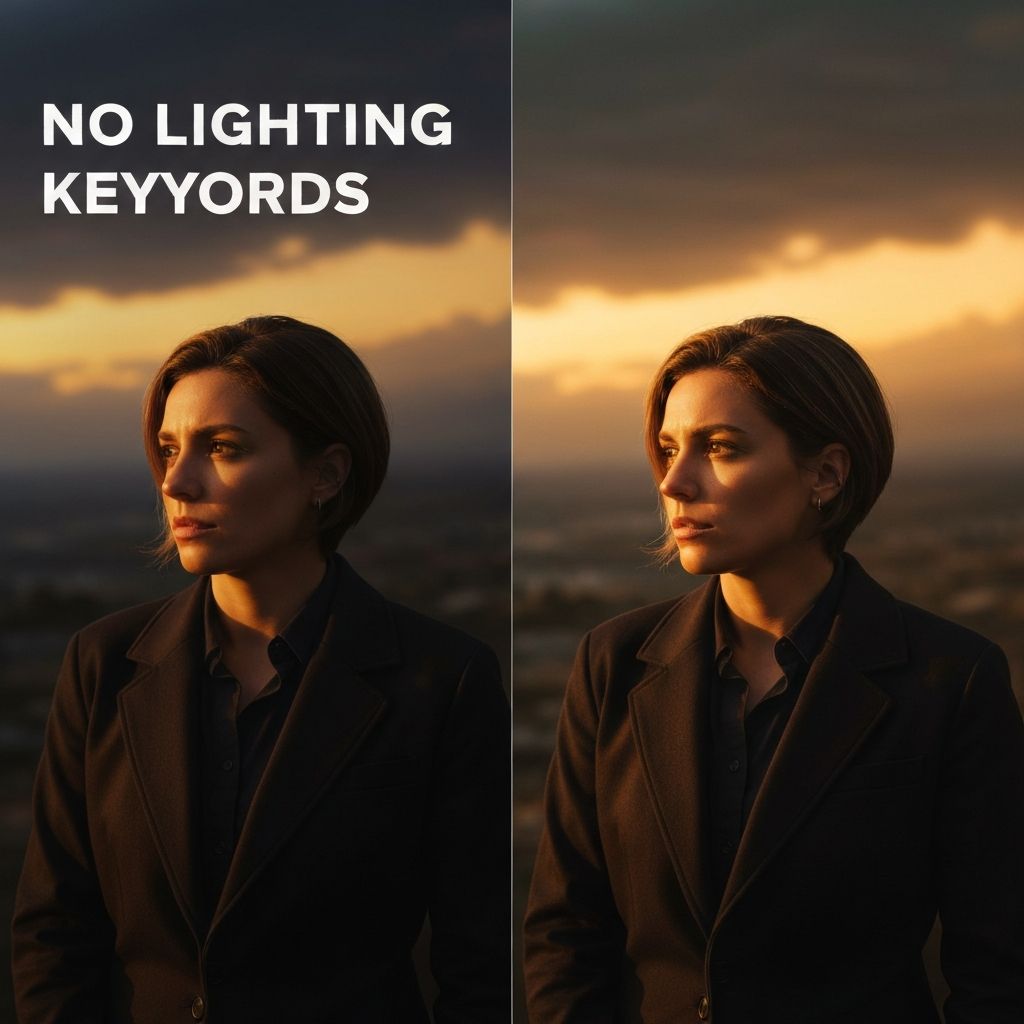
Section 3: Lighting Keywords as Cinema
The Secret: 70% of the difference between "AI art" and "professional photography" is lighting. The difference between a flat render and a cinematic masterpiece is 5 words.
Essential Lighting Vocabulary
Directional Lighting
\\\
rim light        → Light from behind, creating a halo
side light       → Light from 90 degrees, emphasizing texture
backlighting     → Silhouettes with glowing edges
three-point      → Professional studio setup (key + fill + back)
\
\
Atmospheric Lighting
\\\
volumetric       → God rays, light beams through particles
mist             → Atmospheric haze reducing contrast
chiaroscuro      → Extreme contrast, dramatic shadows
god rays         → Dramatic light shafts through atmosphere
\
\
Color & Temperature
\\\
golden hour      → Warm, orange-tinted sunset/sunrise
blue hour        → Cool, twilight tones
neon glow        → Cyberpunk artificial lighting
candlelit        → Warm, intimate indoor lighting
\
\
Surface Interaction
\\\
reflection       → Specular highlights on shiny surfaces
subsurface      → Light penetrating semi-translucent materials
caustics         → Light patterns through water
lens flare       → Cinematic light artifacts
\
\
The Lighting Formula
\\\
[SUBJECT], [LIGHTING DIRECTION] light, [ATMOSPHERIC QUALITY], [COLOR TEMPERATURE], [SURFACE TREATMENT], [TECHNICAL CAMERA TERM]
\
\
Example:
\\\
A luxury watch on marble, rim light, volumetric atmospheric haze, golden hour, subsurface reflection, macro photography, shallow depth of field, professional product photography
\
\
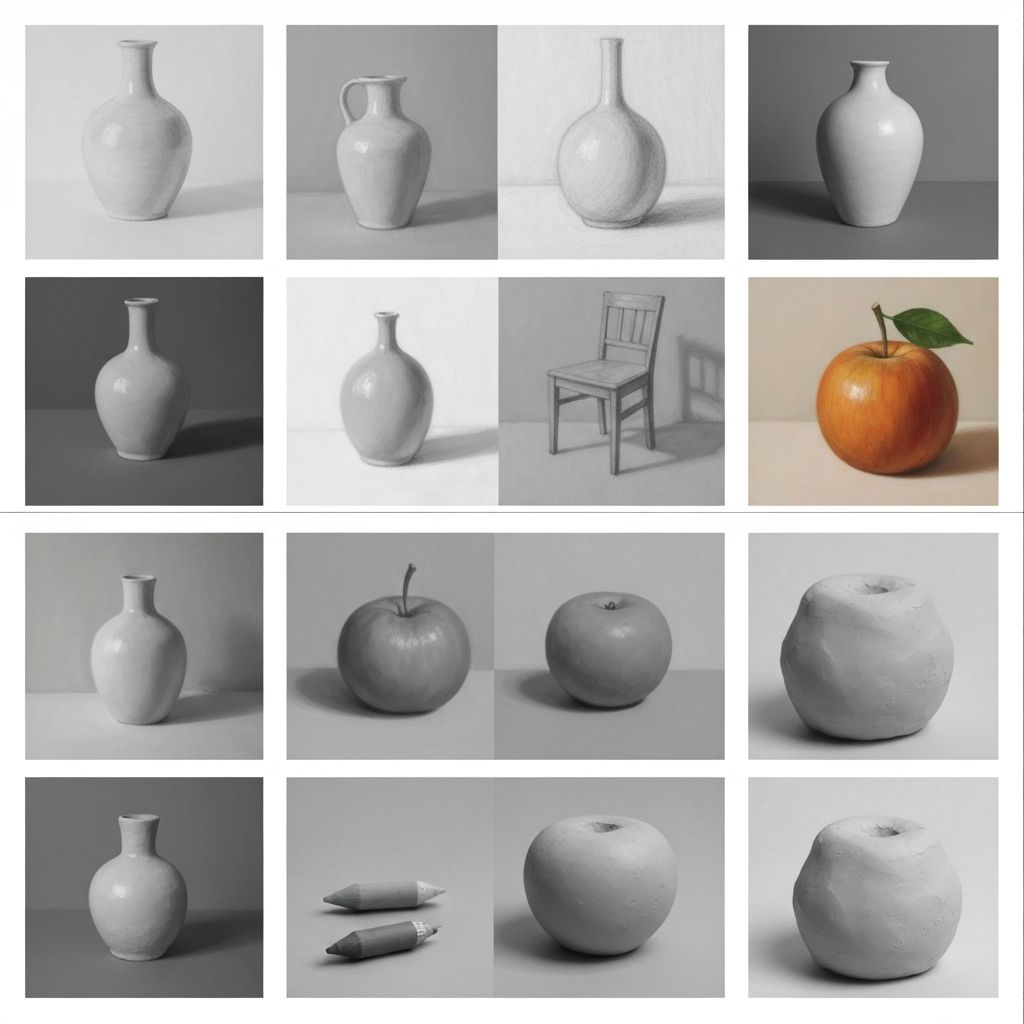
Section 4: Medium and Texture Controls
The Power: The same subject rendered in different mediums produces wildly different aesthetics. Controlling this is the difference between "generic AI" and "branded visual language."
Medium Vocabulary
Photography
\\\
film photography      → Kodak Portra aesthetic, grain, color warmth
fine art photography  → High-end gallery quality
documentary          → Candid, natural lighting
product photography   → Clean, well-lit, hero shot
\
\
Painting & Illustration
\\\
oil painting          → Thick brushstrokes, texture, classical
watercolor            → Translucent, soft edges, flowing
acrylic               → Vibrant, modern, matte finish
pen and ink           → Graphic, high contrast, detail
\
\
Digital & Modern
\\\
digital illustration  → Computer-rendered, clean lines
3D render             → CGI, perfect geometry, lighting
vector art             → Flat, bold colors, geometric
concept art           → Stylized, atmospheric, creative freedom
\
\
Specialty
\\\
charcoal sketch       → Rough, dramatic, high contrast
lithograph            → Vintage, textured, limited palette
hologram              → Futuristic, glowing, digital
neon                  → Glowing tubes, cyberpunk aesthetic
\
\
Texture Modifiers
\\\
ultra-detailed       → Hyper-realistic, maximum information
glossy               → Shiny, reflective surfaces
matte                → Non-reflective, soft
rough                → Texture, grain, imperfections
smooth               → Polished, pristine surfaces
\
\
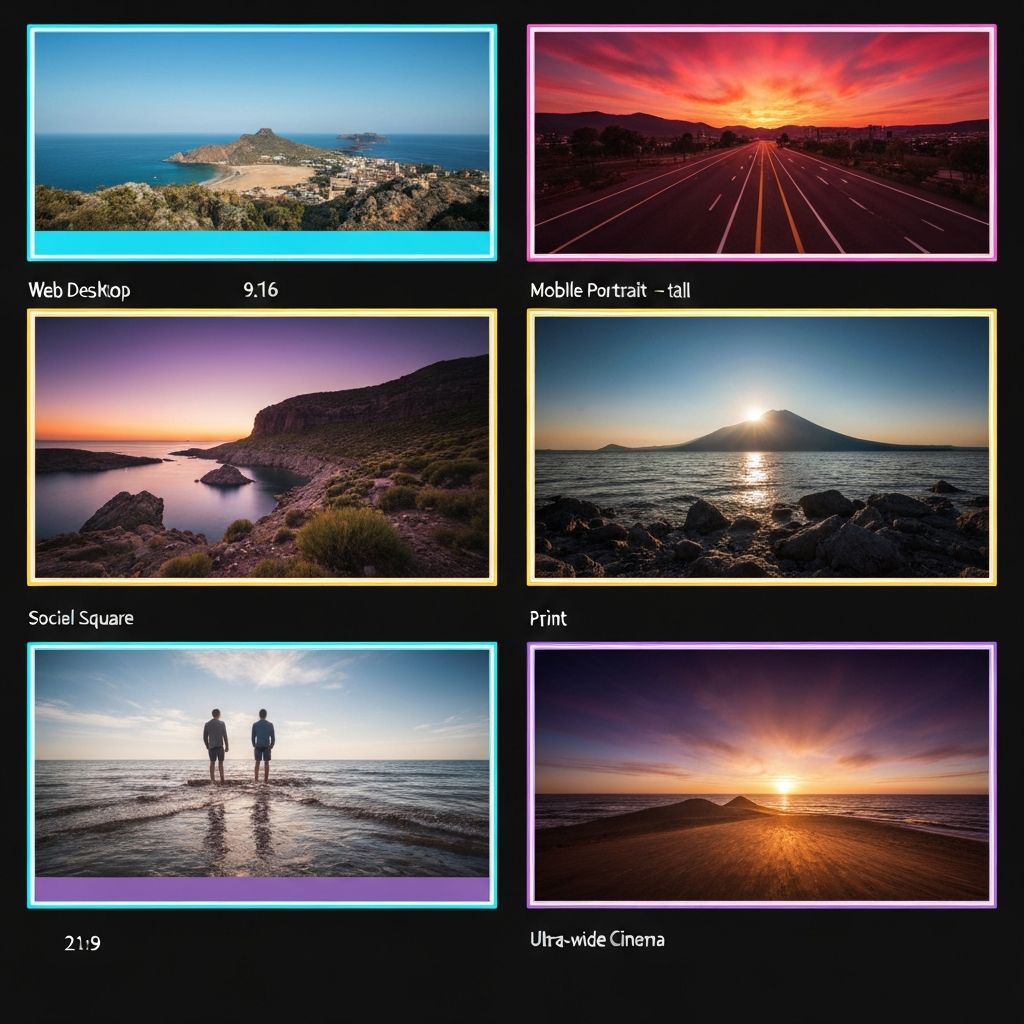
Section 5: Aspect Ratios for Every Channel
The Reality: The same image doesn't work everywhere. Midjourney's --ar parameter lets you optimize for each platform without cropping or distortion.
Platform-Specific Ratios
Web & Desktop
\\\
--ar 16:9    (Hero sections, background images, widescreen)
--ar 2:1     (Ultra-wide hero, premium displays)
\
\
Mobile & Vertical
\\\
--ar 9:16    (Instagram Stories, Reels, TikTok, mobile web)
--ar 4:5     (Instagram Feed posts)
\
\
Social & Square
\\\
--ar 1:1     (Instagram posts, Facebook, LinkedIn, Twitter)
\
\
Print & Premium
\\\
--ar 3:2     (Photography, magazines, fine art)
--ar 5:7     (Portrait photography)
--ar A4      (Document format, slides)
\
\
Cinema & Video
\\\
--ar 21:9    (Ultra-wide cinema, premium video backgrounds)
--ar 16:9    (Standard video, streaming, YouTube)
--ar 9:16    (Vertical video, mobile-first content)
\
\
The Smart Generation Workflow
Generate your hero image at one ratio, then use Midjourney's Remix feature to adapt it for other platforms without re-prompting from scratch.
Section 6: Parameter Mastery in Production
The Scenario: You're an agency running a campaign for a luxury brand. You need 50 hero images, each customized for different regional markets, all maintaining visual consistency.
The Production Prompt Template
\\\
/imagine prompt: [CORE SUBJECT], [LIGHTING STACK], [MEDIUM], [BRAND AESTHETIC], [TECHNICAL QUALITY] --ar [RATIO] --hd --s [STYLE] --q 2 --c [VARIATION]
\
\
Real-World Example: Luxury Hotel Campaign
Base Prompt:
\\\
A luxury hotel penthouse suite overlooking Hong Kong harbour, floor-to-ceiling windows, golden hour light, volumetric atmosphere, warm ambient interior lighting, professional architecture photography, high-end editorial, pristine condition --ar 16:9 --hd --s 650 --q 2 --c 35
\
\
Adaptations: