ProductivityBeginner12 min read

AI 101: Using HeyGen to create personalized video greetings for every new customer

Scale your "human touch" without spending all day in front of a camera. Learn how to use HeyGen's Avatar V technology to create a digital twin that greets every new customer by name, automatically.

AI 101: Using HeyGen to create personalized video greetings for every new customer

Introduction

In a world of automated text emails, a personal video message stands out. However, recording a unique video for every new signup is impossible as you scale. HeyGen solves this by allowing you to create a "Digital Twin" that looks and sounds exactly like you. By using dynamic variables, you can record one template and have the AI generate thousands of personalized versions, calling each customer by their name and mentioning their specific interests. For non-techies, this is the ultimate way to build trust and "premium" branding on autopilot.

What You''ll Learn

  • How to create a studio-quality Avatar V digital twin using just a 15-second phone clip
  • The process of setting up a Personalized Video Template with dynamic variables (like Name and Company)
  • How to integrate your videos with a CRM to send greetings automatically whenever someone signs up
  • Tool You''ll Be Using

    HeyGen: https://www.heygen.com/

    Section 1: Cloning Yourself with Avatar V

    As of 2026, you no longer need a green screen or professional lighting. HeyGen''s Avatar V model uses "temporally grounded identity embedding" to ensure your digital twin looks perfectly natural even in long videos.

    Step-by-Step Process

    Step 1: Open the HeyGen App

  • Navigate to HeyGen and select "Instant Avatar"
  • You''ll see an upload interface ready to capture your video
  • Step 2: Record Your 15-Second Clip

  • Use your phone camera to record 15 seconds of yourself speaking naturally
  • Ensure you have good natural light (window light works great!)
  • Speak clearly and naturally—imagine you''re greeting a friend
  • Avoid sunglasses or hats that obscure your face
  • Step 3: Verify Your Identity

  • HeyGen will ask you to follow an on-screen consent prompt
  • This is a security measure to ensure it''s really you
  • Complete the verification (usually a few head movements or eye contact)
  • Step 4: Generate Your Twin

  • Within minutes, HeyGen will process your video and create your digital avatar
  • You can now make "yourself" say anything just by typing a script
  • Your avatar will replicate your facial expressions, voice tone, and hand gestures
  • The Magic: Studio-Quality Without the Studio

    Unlike older avatar tech that looks robotic or uncanny, HeyGen''s Avatar V uses advanced AI to capture your natural mannerisms and personality. The result is a digital clone that feels like actually you, not a deepfake.
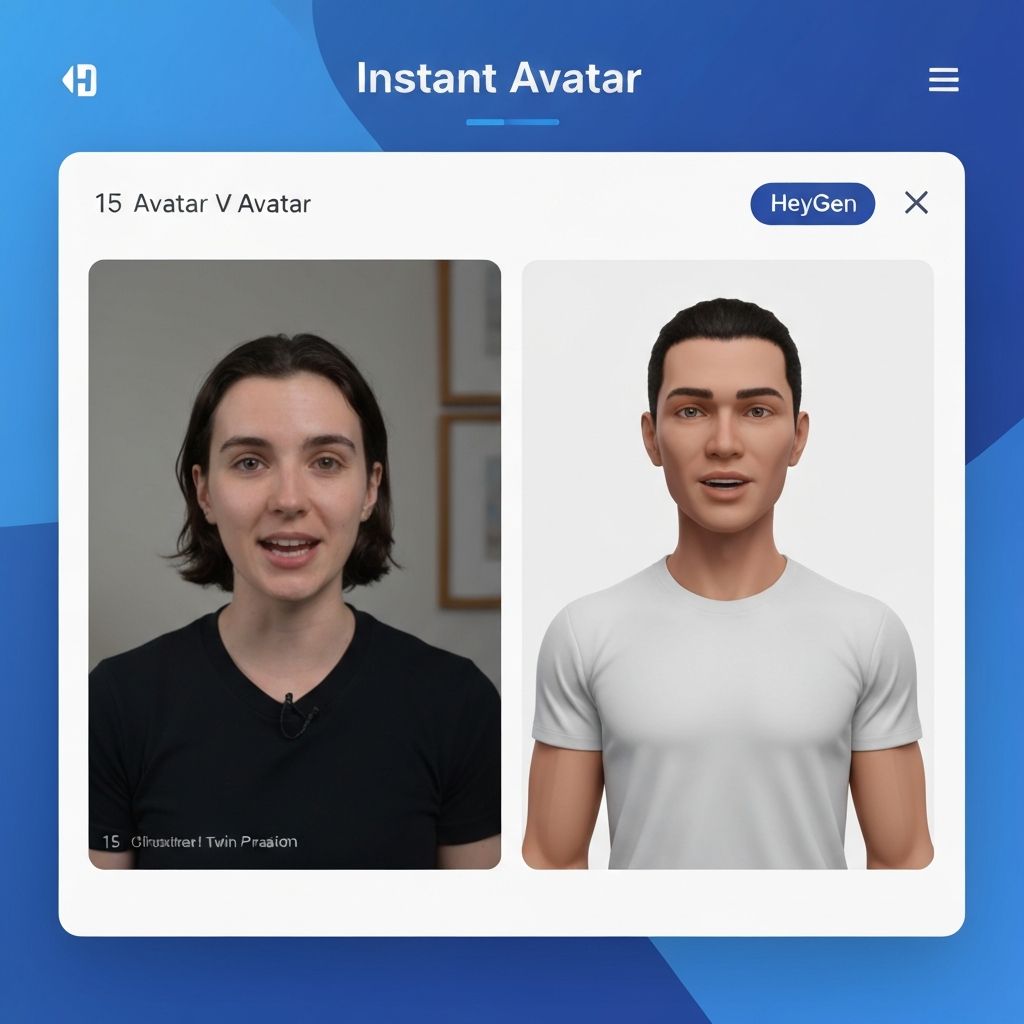
    A HeyGen interface showing Avatar V creation with a 15-second video clip on the left and a perfectly replicated digital twin on the right. The interface shows successful avatar generation with "Instant Avatar" at the top
    A HeyGen interface showing Avatar V creation with a 15-second video clip on the left and a perfectly replicated digital twin on the right. The interface shows successful avatar generation with "Instant Avatar" at the top


    Section 2: Building the "Dynamic Template"

    To scale, you don''t want to type a new script for every person. You need a Template that automatically inserts personalization data.

    Step-by-Step Process

    Step 1: Create a New Video Project

  • In the HeyGen Editor, select your Avatar
  • Choose a nice background (your office, a branded "Welcome" graphic, or a professional set)
  • Start building your video script
  • Step 2: Write Your Script with Variables

  • Write your greeting as you normally would
  • For personalized parts, use curly brackets: {{variable_name}}
  • Example: "Hi {{first_name}}, welcome to AfterWork Startup!"
  • Step 3: Common Variables to Include
    \\\
    {{first_name}} - Customer''s first name
    {{last_name}} - Customer''s last name
    {{company}} - Company name
    {{interest}} - Their stated interest or product category
    {{city}} - Location
    {{product_name}} - What they purchased
    {{discount_code}} - A unique code for them
    \
    \\

    Step 4: Test the Template

  • Enter sample data to preview how the video will look
  • Make sure the avatar speaks the names naturally
  • Adjust spacing or pacing if needed
  • Example Template Scripts

    The Warm Welcome:
    \\\
    "Hi {{first_name}}, welcome to AfterWork Startup! I''m so glad you joined us. I see you''re interested in {{interest}}—we have some amazing resources for that. I''ve created a special bonus just for you: use code {{discount_code}} for 20% off."
    \
    \\

    The Post-Purchase Thank You:
    \\\
    "Hey {{first_name}}, thank you so much for your order of {{product_name}}! It''s being packed right now and will ship within 24 hours. I''ve attached a ''Getting Started'' guide below—looking forward to having you in our community!"
    \
    \\

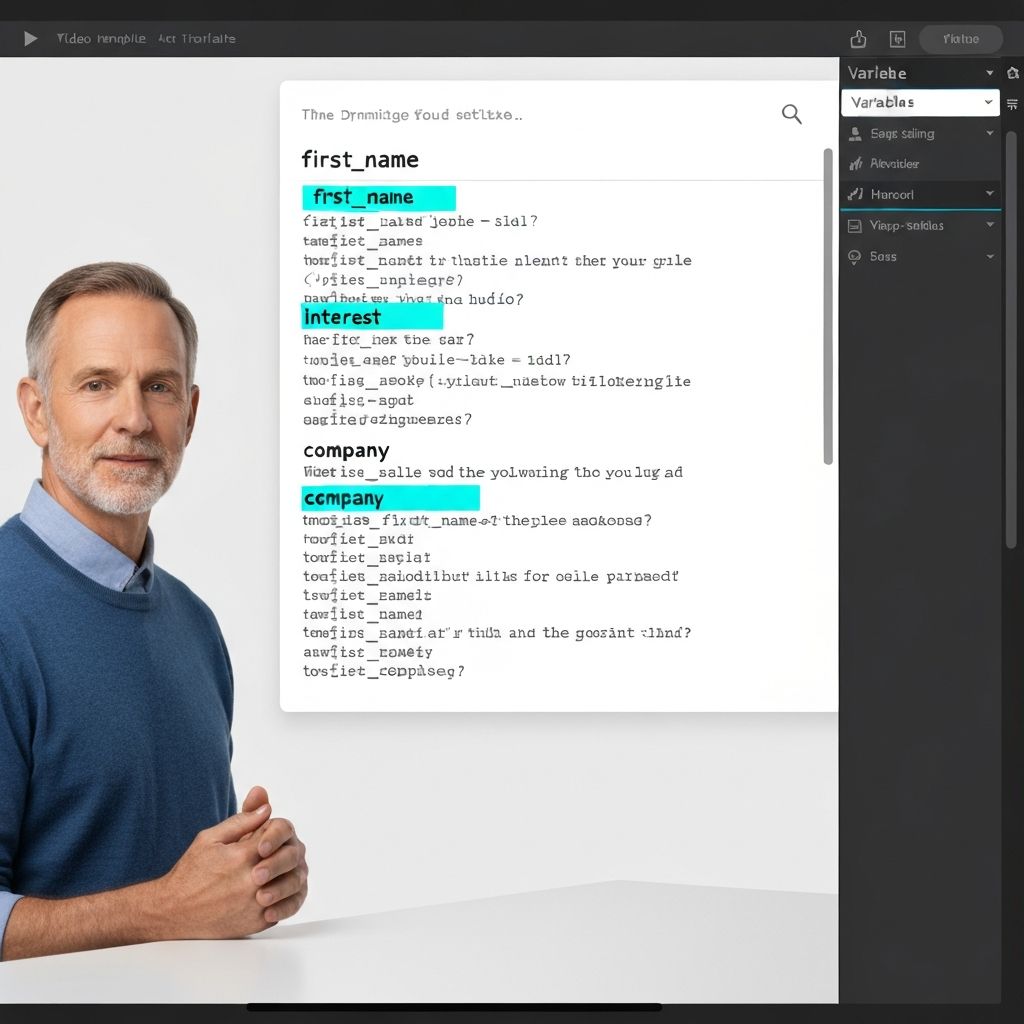
    A HeyGen video template editor showing a script with dynamic variables highlighted in blue ({{first_name}}, {{interest}}, {{company}}). The avatar is shown speaking on the left with a professional background. The right panel displays variable settings
    A HeyGen video template editor showing a script with dynamic variables highlighted in blue ({{first_name}}, {{interest}}, {{company}}). The avatar is shown speaking on the left with a professional background. The right panel displays variable settings


    Section 3: Automating the Outreach

    The final piece is making this "zero-touch." You can connect HeyGen to your customer list via automation tools, ensuring every new customer gets a personal video without manual intervention.

    The Complete Workflow

    Step 1: Connect HeyGen to Your CRM or Database

  • Use Zapier, Make, or native API integrations
  • Connect HeyGen to HubSpot, Shopify, Google Forms, or any tool where customers sign up
  • Authorize HeyGen to access the integration
  • Step 2: Set Up the Automation

  • Trigger: "When a new user signs up"
  • Action: "Generate personalized video with their data"
  • HeyGen extracts their name, interest, company, etc. from your CRM
  • A unique video is generated specifically for them
  • Step 3: Send the Video

  • The video link is automatically sent via email
  • You can customize the email template to include additional context
  • Each customer receives their personal video within minutes of signing up
  • Why This Matters

    This workflow transforms passive welcome emails into personal experiences. Every customer feels valued, not like they''re part of a mass email list. The result: higher engagement, more replies, and stronger brand loyalty.
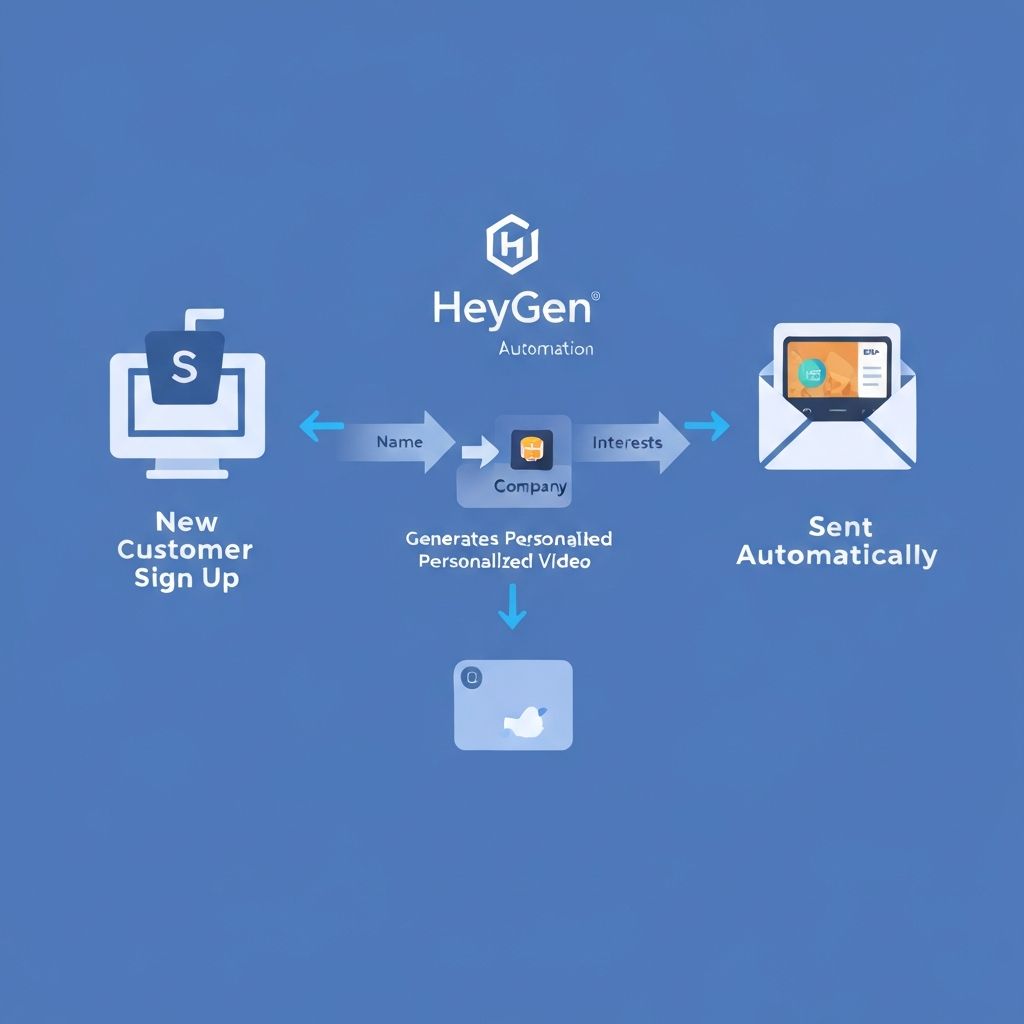
    A workflow diagram showing HeyGen automation: New Customer Sign Up (CRM) → HeyGen Generates Personalized Video → Automated Email Sent with Video Link. Blue arrows show the data flow through the system
    A workflow diagram showing HeyGen automation: New Customer Sign Up (CRM) → HeyGen Generates Personalized Video → Automated Email Sent with Video Link. Blue arrows show the data flow through the system


    Pro Tips for Power Users

    Tip 1: Interactive Calls-to-Action

  • Add a clickable button directly inside the video player that links to your booking page or a specific product
  • Customers can take action without leaving the email, increasing conversion rates
  • Tip 2: A/B Testing

  • Create two versions of your greeting—one "Professional" and one "Casual"
  • Send different versions to different cohorts and track open rates and replies
  • Optimize based on what resonates with your audience
  • Tip 3: Multiple Avatars for Different Segments

  • Create a "Founder" avatar to welcome high-value leads
  • Create a "Support" avatar for post-purchase guidance
  • Personalize the experience based on customer segment
  • Sample Scripts to Copy/Paste

    The Warm Welcome

    \\\
    "Hi {{first_name}}, this is {{your_name}} from AfterWork. I''m so glad you joined us today! I see you''re based in {{city}}—we have a great community there. Let me know if you need any help getting started!"
    \
    \\

    The Post-Purchase Thank You

    \\\
    "Hey {{first_name}}, thank you so much for your order of {{product_name}}. It''s being packed right now! I''ve attached a quick ''Getting Started'' guide below for you."
    \
    \\

    The Birthday Greeting

    \\\
    "Happy Birthday {{first_name}}! Hope you have a fantastic day. As a gift from the team, use code BDAY20 for 20% off your next course."
    \
    \\

    Expected Outcomes

    By the end of this tutorial, you will:

    ✅ Have a high-fidelity digital version of yourself ready to work 24/7
    ✅ See higher open rates on your welcome emails (personal videos get 3-5x more opens)
    ✅ Experience increased customer "delight" from the personal touch
    ✅ Automate your welcome process without compromising on personalization
    ✅ Scale your human touch without hiring a full-time videographer

    Closing Thought

    Automation doesn''t have to feel "robotic." With HeyGen, you''re automating the delivery, not the humanity. Every customer gets a personalized, studio-quality video that feels like you recorded it just for them. That''s the future of customer engagement.

    Learn AI, after work

    Track your progress, earn XP, and unlock more free tutorials in the AfterWork Bytes app.

    Open this tutorial in the app